
Onboard a volunteer with a QR code
The fast way to add someone to your team: you show a QR code, they scan it, type their name, and they're in — as a volunteer, ready to work. No accounts, no passwords, and you never need any of their technical details.
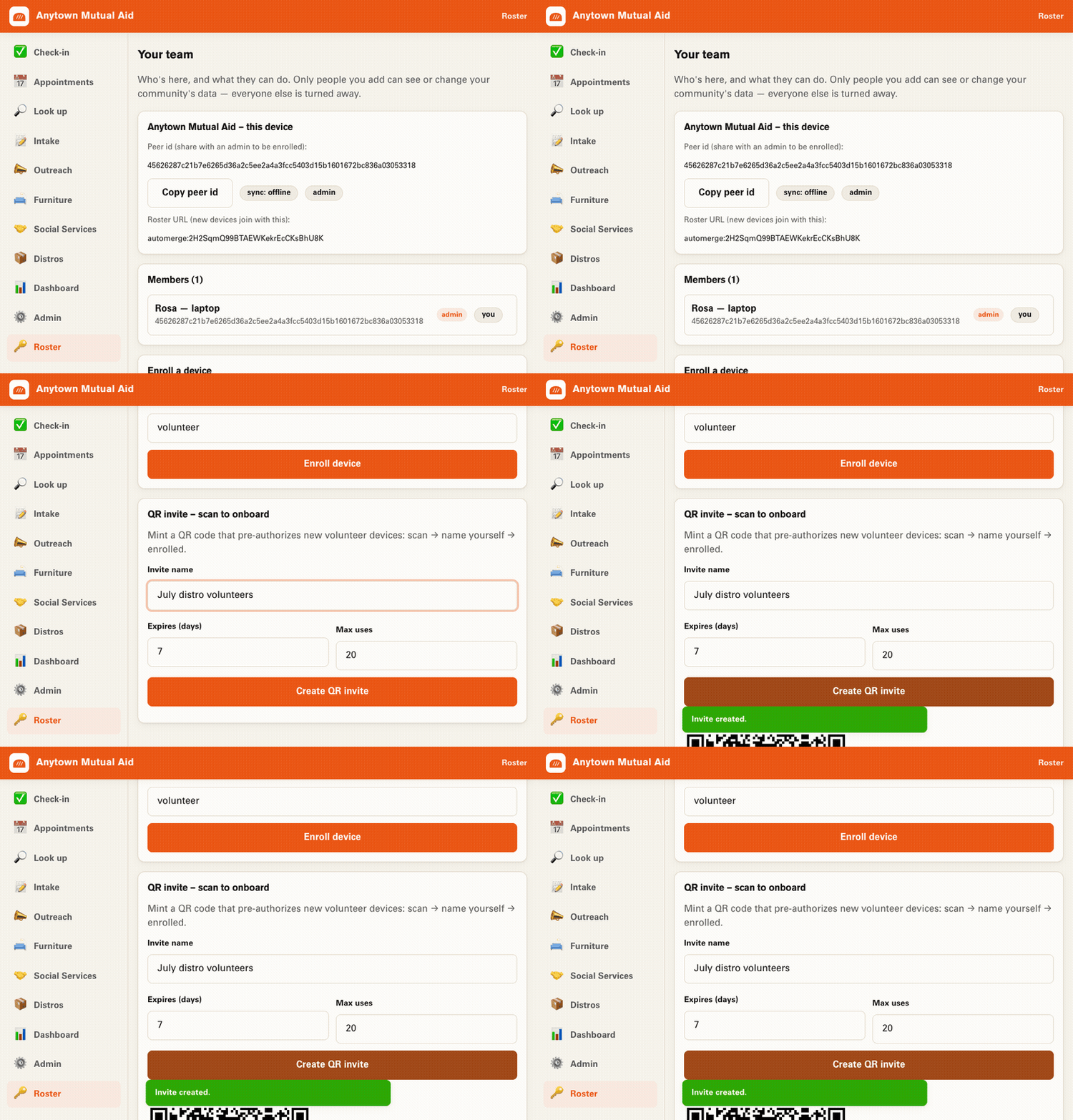
Create & hand out the invite
You need to be an admin (whoever created the org is the first one).
- Open “your team.”The 🔑 Roster screen in the menu.
- Find the “QR invite” card — “scan to onboard.”
- Set it up.Invite name (for you), how many days it lasts (default 7), and max uses (default 20).
- Tap “Create QR invite.” A QR code and a Copy invite link button appear.
- Hand it out.In person: show the QR to scan. Remotely: copy the link and send it.
Join in three taps
You just need the code or link, and a phone.
- Open it.Scan the QR with your camera, or tap the link. It opens the toolkit.
- Name yourself.You'll see “You're invited to <org> 🎉.” Type a name your team will recognize.
- Tap “Join as a volunteer.”You're in — the app opens with your team's tools.
Set the max uses to cover everyone you expect and show the same QR to the group at the start of a distribution — each person scans it and names themselves.
To give someone admin rights, do it on purpose: find them in the Members list and tap Make admin. To turn an invite off, tap Revoke on it — people who already joined stay; no new device can use that code.
If it doesn't work
The usual snags, and what to do.
The link doesn't do anything / can't find the org
The org needs a sync relay so the two devices can reach each other. New orgs use the community relay by default, so this usually just works — but if the org was created offline (relay cleared), no one can join until a relay is added.
It says the invite is expired or used up
Ask the admin to create a fresh one, or to raise the expiry and max uses.
I joined but I can't change the team or settings
That's expected — invites add volunteers. Ask an admin to promote you from the Members list.
On the same Wi-Fi but still not syncing?
Devices reach each other through the relay, not directly — give it a moment after joining and it catches up.
Ready to add your team?
Open the toolkit, head to “your team,” and mint your first QR invite.
Launch the toolkit →